
The Speed section
The Speed section is the inspector’s home for a clip’s rate. With no action selected it changes the whole clip, and with an action selected its Rate sets the rate that action ends on.
- Where
- Clip tab ▸ Clip sub-tab ▸ Speed section
- Agent tools
set_speedset_action_endset_audio
Open the section
Section titled “Open the section”Select one or more clips of a video or audio file, then open the Clip sub-tab of the Clip tab. The section appears only when every selected clip is a media clip, meaning a clip of a video or audio file. See Which clips take speed.
It starts collapsed, and its header shows the rate, for example 2.00×. Click the header to open it. It opens by itself when the selected action sets a rate.
| Row | What it does |
|---|---|
| Rate | The rate, from ×0.1 to ×1000. See Set the rate. |
| Keep pitch | Whether the sound keeps its pitch at the new speed. See Keep pitch. |
| Fit to | Type a length, and the rate changes so the clip plays in it. See Fit a clip to a length. |
| Note | “Audio is silent above ×12” appears when a selected clip with sound is past the audio limit. |
Set the rate
Section titled “Set the rate”Type a rate in Rate. The field shows two decimal places, and a value outside ×0.1 – ×1000 is set to the nearest limit. The change applies to every selected media clip as one undo step, Set Speed.
When the selected clips differ, the row carries a mixed tag and shows the first clip’s rate.
If the change takes a clip with sound past ×12, Frame Job asks first, with Set Speed and Cancel. Cancel puts the field back.
Quick picks
Section titled “Quick picks”The chevron at the end of the Rate field opens a menu of 0.50×, 1.00×, 2.00× and 4.00×, with a check beside the current rate. With an action selected, a pick sets the action’s end rate.
Keep pitch
Section titled “Keep pitch”Keep pitch is the same setting as Preserve pitch in the Speed sheet, applied to every selected media clip as one undo step, Keep Pitch. See Keep pitch for what it does to the sound.
Reset the rate
Section titled “Reset the rate”Reset in the section header sets the rate back to ×1, as one undo step, Set Speed. It leaves Keep pitch as it is.
It appears when no action is selected and the first selected clip’s rate isn’t ×1. No Reset shows while an action is selected. To end an action at ×1, type 1 in Rate or pick 1.00× from its quick-pick menu.
Rate inside an action
Section titled “Rate inside an action”While an action is selected, Rate shows and sets the rate that action ends on. Setting it turns any action into a Speed action, which is how you build a ramp by hand.
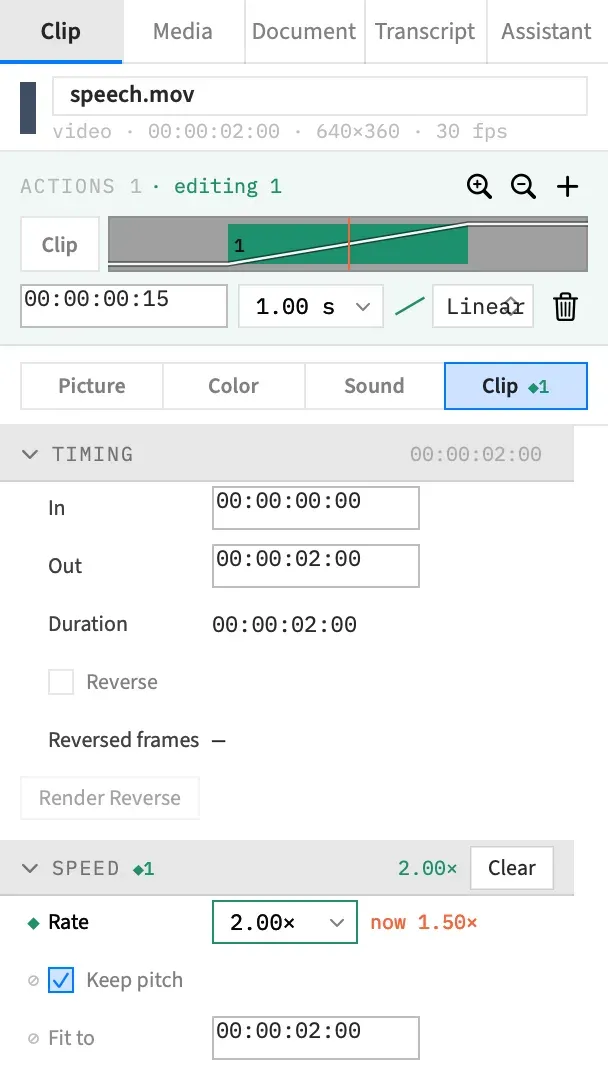
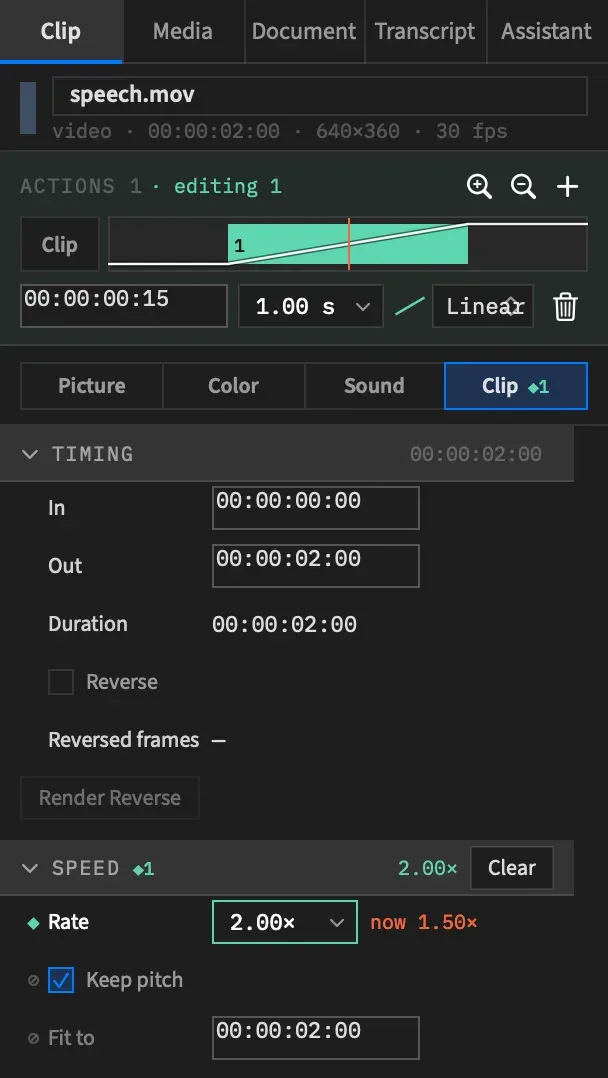
- If the action sets no rate, Rate shows the rate the clip is playing at the end of that action. Typing a different rate or picking one from the quick-pick menu sets it. Entering the rate already showing changes nothing.
- The header shows ◆1 and the end rate, with Clear in place of Reset.
- The Rate row carries a ◆ in its gutter. After the field, a “now” figure gives the rate under the playhead, for example
now 1.50×, when the playhead is inside the clip and that rate differs from the end rate. - Crossing ×12 asks first, as it does for the clip’s own rate.
- Frame Job won’t accept an end rate that would run the clip past the end of its file. The foot of the inspector names the largest rate that fits, or, if nothing down to ×0.1 fits, the latest clip end that would fit at ×0.1.
You can only select an action with one clip selected. With several clips selected, Rate always sets each clip’s own rate.
When no action is selected, or the selected one sets no rate, a row that another action changes shows ◇ with the tooltip “Changed by action N”. Right-click the row’s label and choose Go to action N to select it.
Clear a rate from an action
Section titled “Clear a rate from an action”Clearing takes the rate out of the action. The action itself stays. Any of these does it:
| Do this | Undo step |
|---|---|
| Choose Clear in the section header. It shows when the action sets a rate. | Clear |
| Hover over the Rate row and click the × that replaces its ◆. | Remove from Action |
| Right-click the row’s label and choose Remove from action N. | Remove from Action |
Frame Job won’t clear the rate when the clip would then run past the end of its file. The foot of the inspector names the latest clip end that fits.
Rows that stay the clip’s
Section titled “Rows that stay the clip’s”Keep pitch and Fit to change the clip itself even with an action selected, so they’re marked ⊘ and never animate.
- Keep pitch still sets the clip’s own setting, at the clip’s own rate.
- Fit to still changes the whole clip’s rate. See When Fit to is unavailable.
With an agent
Section titled “With an agent”set_speed sets a clip’s rate and set_audio its Keep pitch. To set the rate an action ends on, set_action_end takes speed at the top of its patch, beside the groups, and brings it inside ×0.1 – ×1000. speed: null clears it. See set_speed and Speed in an action.