
Cursor files
A cursor file sits beside a screen recording and holds what the pointer did, so Frame Job can draw and restyle the pointer later. You rarely touch one. This page is for when a movie has moved, lost its file or picked up the wrong one.
- Where
- Media tab ▸ Cursor
- Agent tools
set_media_cursorget_cursor_events
What a cursor file holds
Section titled “What a cursor file holds”Every recording of a display, a window or a picked window writes a cursor file, whichever Cursor: option you chose. A camera on its own and a voice-over don’t, because they have no pointer. The file has the movie’s name, ending in .fjcursor, and sits in the same folder:
Screen Recording 2026-09-10 at 14.03.22.movScreen Recording 2026-09-10 at 14.03.22.fjcursorA paused recording has one movie per stretch between pauses, and each movie gets its own file.
The file is plain text and records:
- Where the pointer was, about 120 times a second.
- Every click and every scroll.
- How the recorded area sat on the screen, so a window that moved mid-recording still lines up.
- With Record shortcuts on, the shortcuts you pressed and when you typed. A typed key is stored as a time only, never as a character.
It holds no pictures of the pointer, so the pointer you see drawn is Frame Job’s arrow.
With Cursor: set to In the picture, the pointer is drawn into the movie as well and the file says so. Frame Job then draws nothing over the clip, and the clip has no Cursor section. The file is still used for its clicks and keys.
Style the recorded cursor, Auto Zoom, Shortcut overlays and Speed Up Typing all read this file.
How the file follows its movie
Section titled “How the file follows its movie”Frame Job keeps a movie and its cursor file together wherever it can. Keep them in the same folder with the same name when you move them by hand, and an import will find the file.
When a recording lands
Section titled “When a recording lands”Each stretch’s movie gets its own cursor file attached as it lands. You don’t need to do anything.
When you import a movie
Section titled “When you import a movie”When you import a movie, whether with File ▸ Add Media…, by dropping it on the window or by opening it, Frame Job looks beside the movie for a file with the same name ending in .fjcursor. It takes that file only if it reads as a cursor file and was made for a movie of exactly this size.
A file that’s missing, damaged or made for another size is left alone and the movie imports without it. Frame Job says nothing about it, so if a recording arrives with no Cursor section, check the Media tab.
A WebM or Matroska file is copied into a movie as it imports, and that copy isn’t looked beside.
When you relink a movie
Section titled “When you relink a movie”Relinking takes the cursor file beside the new movie. If there’s none, the media keeps the cursor file it already had, as long as that file is still there and the new movie is the same size. Otherwise the media has no cursor file after the relink, and you can attach one with Locate….
When you consolidate
Section titled “When you consolidate”Consolidate Media copies each cursor file into the package beside its movie, and a moved package finds it there again when you open it.
If a cursor file is missing, Consolidate leaves it alone and its report says so, for example “1 cursor file was missing and left alone.” If a copy fails, the media goes on pointing at the original file. A movie that’s missing is left alone along with its cursor file.
See a movie’s cursor file
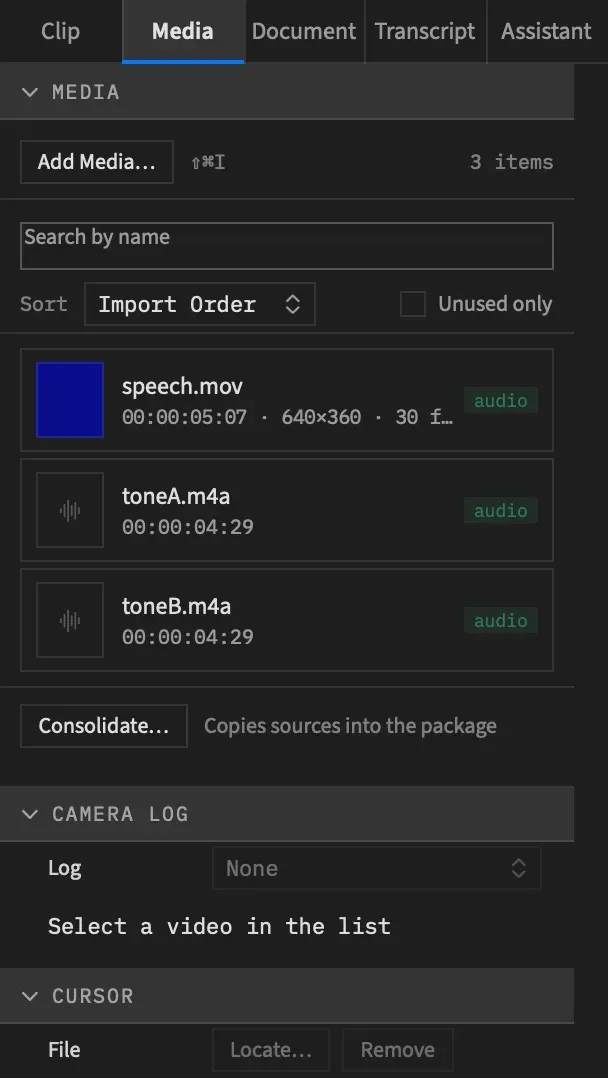
Section titled “See a movie’s cursor file”Select a video in the Media tab’s list and read its Cursor section. The section appears once the project has a video with a picture.
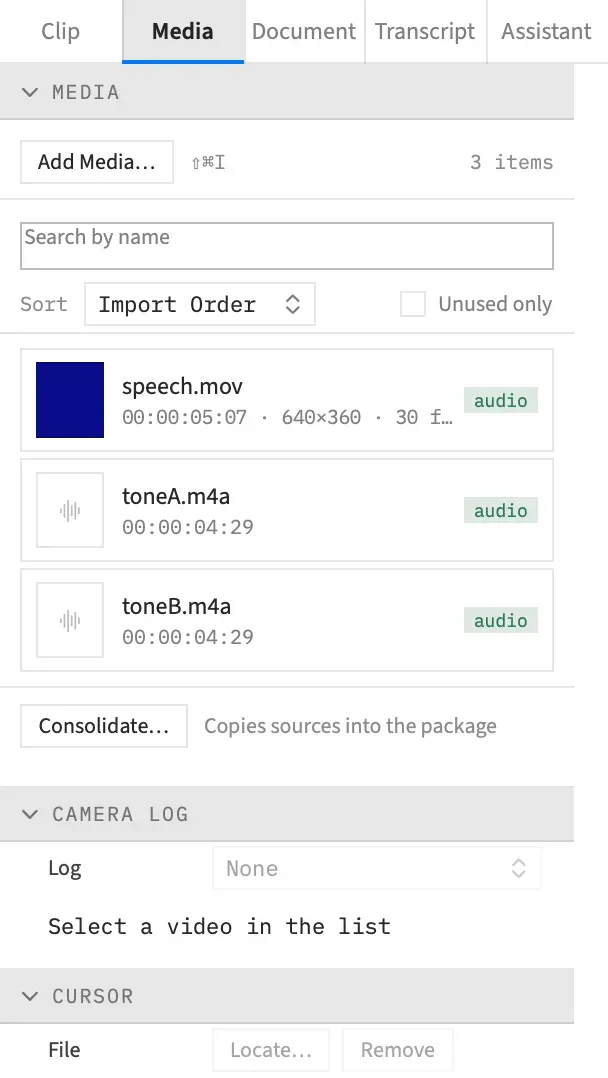
| The section says | What it means |
|---|---|
| “Select a video in the list” | Nothing that can carry a cursor file is selected. |
| “No cursor file” | This video has none attached. |
| The file’s name | The file is attached and on disk. |
| The file’s name, then “— missing” | The file is attached but has gone from where it was. |
Attach or re-point a cursor file
Section titled “Attach or re-point a cursor file”Use Locate… to give a video its cursor file, or to point it at one that has moved.
-
Select the video in the Media tab’s list.
-
In the Cursor section, choose Locate….
-
Choose the
.fjcursorfile recorded with this movie.
Frame Job runs the same check as an import: the file must read as a cursor file made for a movie of exactly this size. If it passes, that’s one undo step called “Locate Cursor File”. If it doesn’t, an alert titled “The cursor file was not attached” gives the reason and nothing changes. For example:
- “The cursor file name was not attached: its movie_size is 3024 × 1964 and the movie is 1920 × 1080.”
- “The cursor file name was not attached: this is not a Frame Job cursor file…”
A cursor file from a newer version of Frame Job gets the same alert, which says which version the file is.
Forget a cursor file
Section titled “Forget a cursor file”Choose Remove in the Cursor section. The video stops using the file, as one undo step called “Remove Cursor File”. The file itself stays on disk, so you can choose Locate… to bring it back. Remove is dimmed for a video with no cursor file.
When a cursor file has a problem
Section titled “When a cursor file has a problem”A cursor problem never fails a recording or an export. You always get the movie, and Frame Job tells you what’s missing.
While recording
Section titled “While recording”If a stretch’s cursor file can’t be written, the recording still lands and the panel’s note says why, naming the file:
| The note says | What it means |
|---|---|
| “The cursor file name could not be written…”, “…was not kept…”, “…could not be put in place…” | The file couldn’t be saved, or it failed the check Frame Job makes once it’s written. No file was left behind. |
| “The cursor file for name was not written: no cursor was captured for it.” | Nothing was captured for this stretch. |
| “The cursor file for name was not written: the screen never reported its start, so its times have nothing to count from.” | Without a start time, the pointer can’t be matched to the picture. |
| “The cursor file for name has only the geometry the screen had when it began…” | A file exists, but a move or resize of what was recorded after the start isn’t in it, so the pointer can sit in the wrong place after that. |
A stretch recorded Separate with no cursor file has no pointer at all, because it isn’t in the movie and there’s nothing to draw it from. The note ends “The pointer is not in the movie either: it was recorded Separate.”
While exporting
Section titled “While exporting”If a cursor file can’t be drawn, because it’s missing or damaged, the clip exports without a pointer and the export finishes as normal. The export’s finish line counts the problem, for example “1 cursor warning (hover for details).”, and hovering lists each one. The Export Queue shows the count on the job’s row, with the same list in its tooltip:
The cursor of media 3 is not drawn: …
In the preview
Section titled “In the preview”A missing or damaged cursor file draws no pointer, and the preview says nothing. Check the Media tab, and use Locate… if the name reads “— missing”.
Good to know
Section titled “Good to know”- Moving a cursor file away doesn’t take the clip’s Cursor section with it. The section stays, and nothing is drawn until the file is back.
- Removing or re-pointing a cursor file doesn’t touch the settings on its clips. They wait for the next file.
With an agent
Section titled “With an agent”An agent can read what a cursor file holds, which the app doesn’t show you as a list. get_cursor_events returns a recording’s clicks, scrolls, shortcuts and stretches of typing and, if asked, the pointer’s path, ten times a second. Give it a media to read in the file’s own time, or a clip to read in the clip’s time, where each click and scroll also comes with its place in the clip’s picture, ready for a zoom. It returns at most 5,000 rows at a time and says where to carry on. It edits nothing, runs on your Mac and needs no key.
It won’t read a clip that plays reversed, though it can read that clip’s media, and it needs a media with a cursor file that’s still on disk.
set_media_cursor attaches, moves or removes a file as Locate… and Remove do, under the same check, and its in_picture value must match the file’s. A cursor file belongs to the project’s media, so giving the tool a scope is an error, and with a nest open the change applies to the whole project.
record_screen names each stretch’s cursor file as cursor_path and any problem with it as cursor_problem. export_status lists a pointer it couldn’t draw under cursor_warnings, and render_frame says so in its reply. See Tools: recording and screencasts.