
A project's dynamic range
A project works in SDR, ordinary video, or in HDR, which keeps highlights brighter than white. The choice sets the colour every source is converted into, and which exports can carry HDR, so choose HDR (HLG) when you want to deliver an HDR file.
- Where
- Document tab ▸ Canvas ▸ Dynamic RangeDocument tab ▸ Document ▸ Colour
- Agent tools
set_canvasget_project
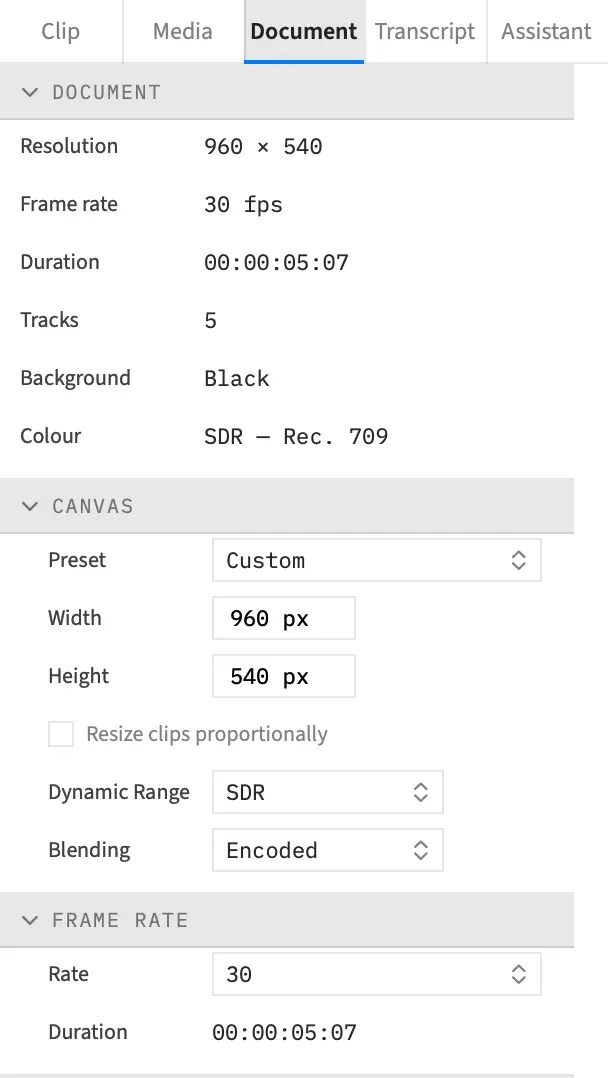
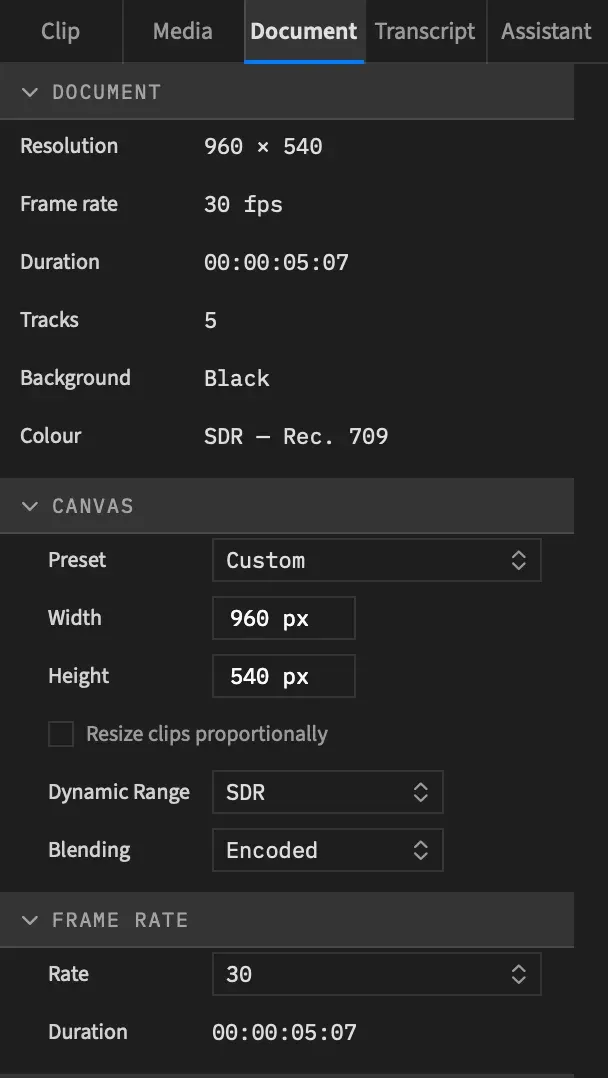
Choose SDR or HDR
Section titled “Choose SDR or HDR”-
Open the Document tab.
-
In the Canvas section, choose from the Dynamic Range popup.
| Item | What the project works in | Default |
|---|---|---|
| SDR | Rec. 709 | Yes |
| HDR (HLG) | Rec. 2100 HLG over BT.2020 |
Switching is one undo step, Dynamic Range, and it changes no clip and no grade value. Choosing the item already showing changes nothing and makes no undo step.
The setting belongs to the whole project, so it works the same with a nest open. A new project starts as SDR.
The Colour row
Section titled “The Colour row”The Document section at the top of the tab shows your choice in its Colour row. It reads “SDR — Rec. 709” or “HDR — Rec. 2100 HLG”.
The HDR working space
Section titled “The HDR working space”An HDR (HLG) project composes every frame in HLG-encoded BT.2020, so HDR footage keeps its range all the way through to the file.
- An iPhone HDR clip keeps its highlights above white. HLG footage over BT.2020 passes through unchanged.
- PQ footage becomes real HDR, up to 1,000 cd/m². Brighter highlights are rolled off to fit, by the file’s peak.
- Footage with a built-in Camera Log curve becomes real HDR.
- Frames are labelled BT.2100 HLG, and the 10-bit exports are tagged HLG.
In an SDR project the same HDR sources are converted to Rec. 709 instead, with their highlights rolled off. How sources are read has the full table, HDR stills included.
SDR material in an HDR project
Section titled “SDR material in an HDR project”SDR material is lifted so its white sits at HDR reference white, the level ordinary white sits at in HDR. It looks as it did, and HDR highlights rise above it.
That covers BT.709 or untagged video, stills and screen recordings. Wide-gamut SDR footage is converted into BT.2020 and lifted the same way.
White is fixed at 203 cd/m² (HLG 75 %). There’s no setting for the reference white.
Drawn layers
Section titled “Drawn layers”Everything Frame Job draws is drawn as it is in SDR, then lifted to HDR reference white. That means text, captions, burn-in timecode, shapes, SDR stills, graphics, and the background and shadow colours.
So a white title sits at reference white, not in the highlights, and a white graphic matches SDR white. Text, captions, shapes and graphics stay 8-bit even though they’re lifted. See Precision and bit depth.
Grades across a switch
Section titled “Grades across a switch”Switching changes no grade value. The numbers stay as you set them, and the grade then runs on the project’s working colour, with BT.2020’s weights in an HDR (HLG) project.
A .cube look still reads its values as Rec. 709. In an HDR project the Look section warns: “This project is HDR (HLG): a .cube LUT reads its values as Rec. 709.”
The chroma key across a switch
Section titled “The chroma key across a switch”A chroma key keeps keying the colour it was picked on. In an HDR (HLG) project it compares the colour an SDR project would show for each pixel, whether the layer is HLG, PQ, camera log or SDR, so it cuts the same pixels after the switch or very nearly.
| The key is | Layers |
|---|---|
| Exact | HLG footage over BT.2020, PQ up to 1,000 cd/m², footage with a built-in Camera Log except at its very brightest highlights, and SDR material |
| Close, not exact | HLG footage over P3 or BT.709 primaries, PQ highlights above 1,000 cd/m², and a key picked on a gain-map photo |
Re-pick the key if an edge changes.
Pick from Canvas works to the same rule. In an HDR project it stores the picked colour as an SDR project shows it, so a key picked there means the same thing in either dynamic range.
Qualifiers across a switch
Section titled “Qualifiers across a switch”A qualifier on an adjustment clip doesn’t get that treatment. Its ranges are measured on the HLG values in an HDR (HLG) project, so re-pick them after switching. Pick from Canvas reads an HDR frame at its HLG values.
Exports and saved frames
Section titled “Exports and saved frames”An HDR (HLG) project can export an HLG master, an HDR10 file or an SDR version. Export HDR says which formats write which.
File ▸ Save Frame… writes a 16-bit PNG or a 10-bit HEIC labelled BT.2100 HLG, and a JPEG writes the SDR version. See Save Frame.
To see the SDR version before you export, turn on Show SDR Version. Scopes in an HDR project covers how the scopes read the picture.
Good to know
Section titled “Good to know”- Wide-gamut SDR projects aren’t offered. An SDR project always works in Rec. 709.
- A project can’t work in PQ. HDR (HLG) is the one HDR working space, and HDR10 is an export choice.
- There’s no Dolby Vision output.
- How layers blend is a separate choice, right below this one. See Blending.
With an agent
Section titled “With an agent”set_canvas switches the dynamic range, with output set to "sdr" or "hlg". new_project has no option for it, so an agent sets it after making the project. A call that passes scope is turned down, because the canvas belongs to the whole project. With a nest open through set_scope, a call without scope lands on the project, as the popup does. See Tools: tracks, markers and canvas.