
Scopes
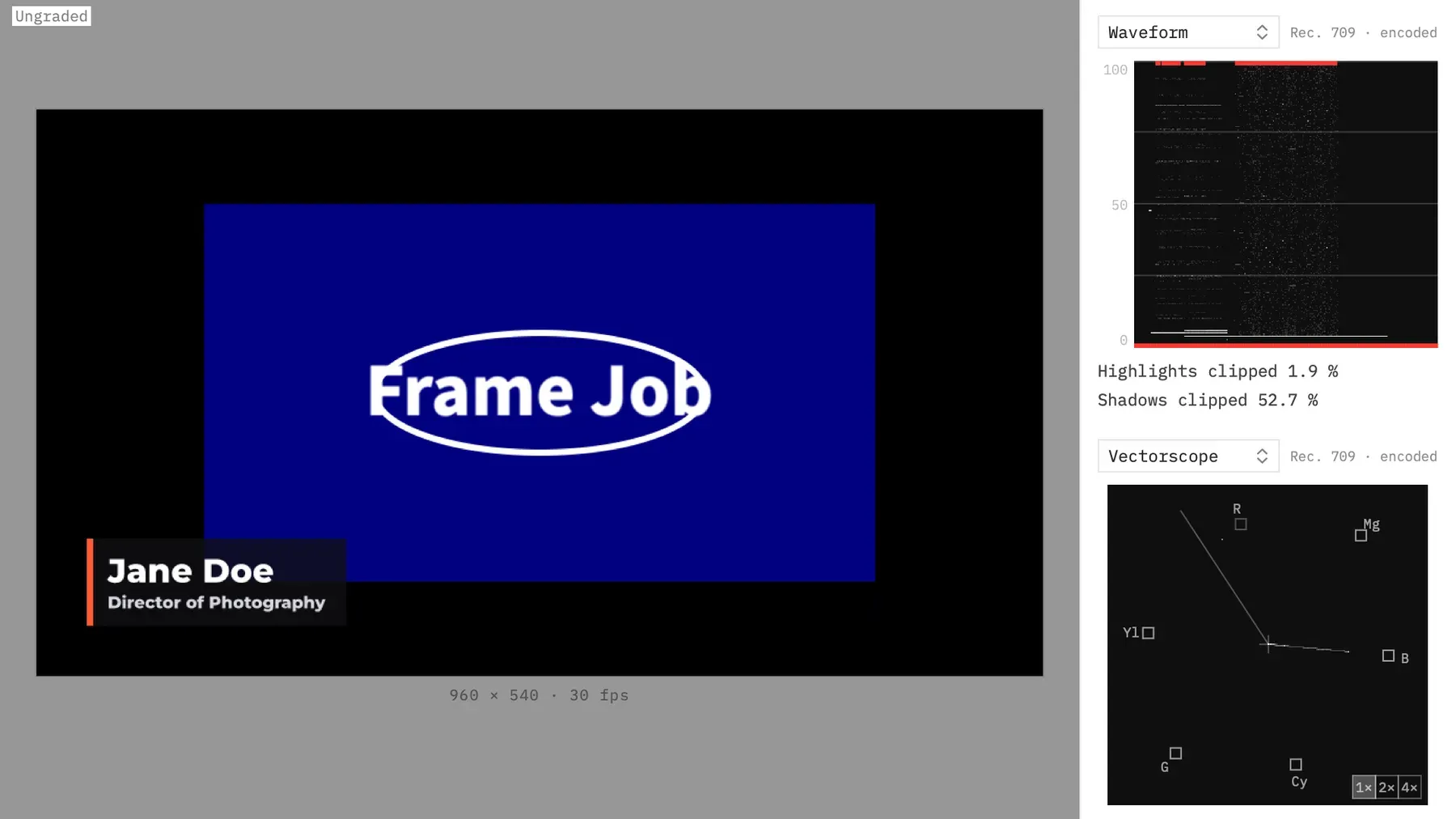
Scopes measure the picture while you grade, so you’re not relying on your eyes or your display. The panel sits beside the preview and shows two scopes at once.
- Menu
- View ▸ Scopes
- Keys
- ⌃⌘W
- Agent tools
render_frame
Open the scopes
Section titled “Open the scopes”Press ⌃⌘W, or choose View ▸ Scopes. Do the same again to close the panel. The menu item has a checkmark while it’s open, and it’s always available.
The panel is a fixed column 248 pt wide, the full height of the preview pane, between the picture and the inspector. The picture shrinks to fit what’s left, and takes the whole pane back when the panel closes. If the Loudness Meter is on too, its column sits between the picture and the scopes.
The panel is off in every new window. Your scope choices and zooms last while the window is open, even if you close and reopen the panel, and they aren’t saved.
Choose a scope for each slot
Section titled “Choose a scope for each slot”The panel has two slots, one above the other. Each has a popup at its top left that picks one of four scopes. A new window opens on Waveform over Vectorscope.
| Scope | What it shows |
|---|---|
| Waveform | Brightness across the frame, left to right. |
| Parade | Red, green and blue as three waveforms side by side. |
| Vectorscope | Hue and saturation, with colour targets and the skin line. |
| Histogram | How many pixels sit at each level, per colour. |
You can put the same scope in both slots. Each slot keeps its own vectorscope zoom, so two vectorscopes can show the picture at different zooms.
Read a slot’s caption
Section titled “Read a slot’s caption”A faint caption at each slot’s top right says what the scope is reading.
| Project | Waveform and Parade | Vectorscope and Histogram |
|---|---|---|
| SDR | Rec. 709 · encoded | Rec. 709 · encoded |
| HDR (HLG) | HLG · cd/m² | Rec. 2100 HLG |
“Encoded” means the scope reads the picture’s stored values, not the light they stand for. An HDR project also changes the scales and targets. See Scopes in an HDR project.
When the pane is short
Section titled “When the pane is short”Waveform and Parade want a height of 200 pt, Vectorscope a square of 224 pt and Histogram 140 pt. If the preview pane can’t hold both slots at those sizes, they shrink together by the same proportion, and a vectorscope stays square and centred.
Below a pane height of 360 pt, only the top slot shows. The bottom slot comes back, with its pick, when there’s room again.
What the scopes measure
Section titled “What the scopes measure”The scopes measure the frames the preview draws. They follow the picture live while it plays, jumping to the newest frame if they fall behind, and update after each edit while it’s paused. Until a frame has been measured, a slot is empty and its readouts show “—”. The scopes only run while the panel is open, so they cost nothing when it’s closed.
They read the whole frame, so the project’s background counts as part of the picture. A black background beside a smaller clip shows up as shadows at level 0.
Because they read the preview’s frame, they follow what the preview is showing:
- With Show Ungraded on, they measure the ungraded picture. In an HDR project they keep their HLG reading.
- With Show Selection on, they measure the grey selection picture.
- With Show SDR Version on in an HDR (HLG) project, they measure the SDR picture exactly as in an SDR project, and switch to the Rec. 709 caption and targets.
With an agent
Section titled “With an agent”No agent tool drives the panel. Instead, render_frame measures any of the four scopes on any frame, counting exactly as the panel does. Pass waveform, parade, vectorscope or histogram as true, and vectorscope_zoom as 1, 2 or 4 with a vectorscope. The tool’s reply gives the figures in words, such as the clipping percentages, and a JSON file next to the image holds the counts. If the measurement can’t run, the frame is still written and the tool says the scopes couldn’t be measured. See Check the picture: render_frame.